 AppKeeper
Keep an app that left Google Play
Once an app is removed from Google Play, a backup is the only way to install it again. So back it up now, while it's still installed on your phone.
Apps leave Google Play all the time: the developer stops maintaining them, a policy changes, or the app is replaced by a new one you like less. If it's still on your phone, it keeps working, but the next time you reset your phone or get a new one, it won't come back. An APK backup is how you keep it.
Back it up
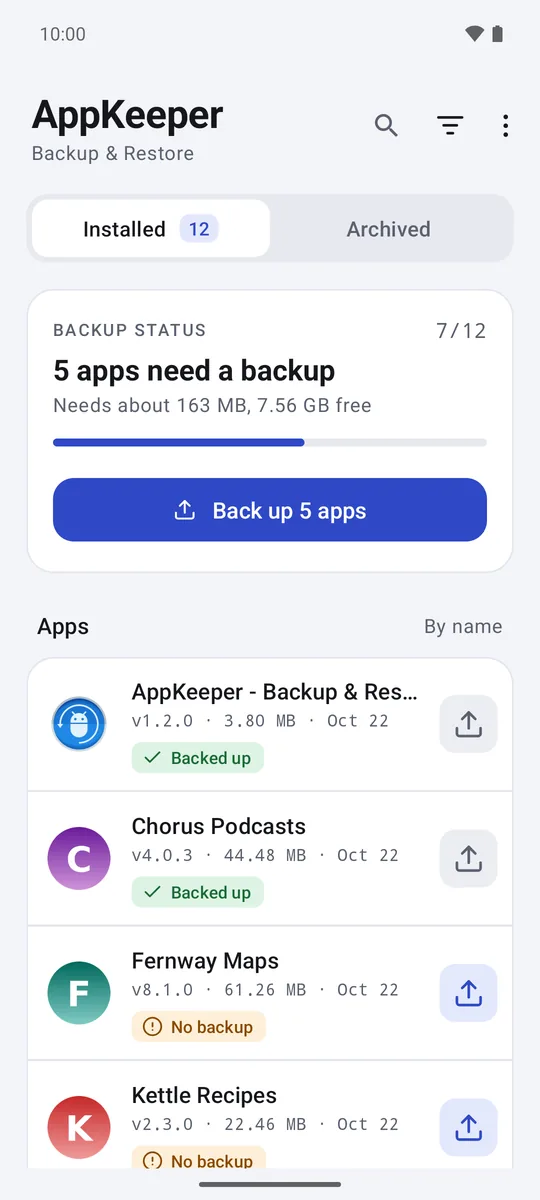
- Open AppKeeper and go to the Installed tab.
- Tap the app's backup button.
The backup is an ordinary file in your backup folder. Keep a copy somewhere else too: on a computer, on an SD card, or with the Google Drive copy Premium. A single copy on the phone is lost if the phone is.
Keep it safe from cleanup
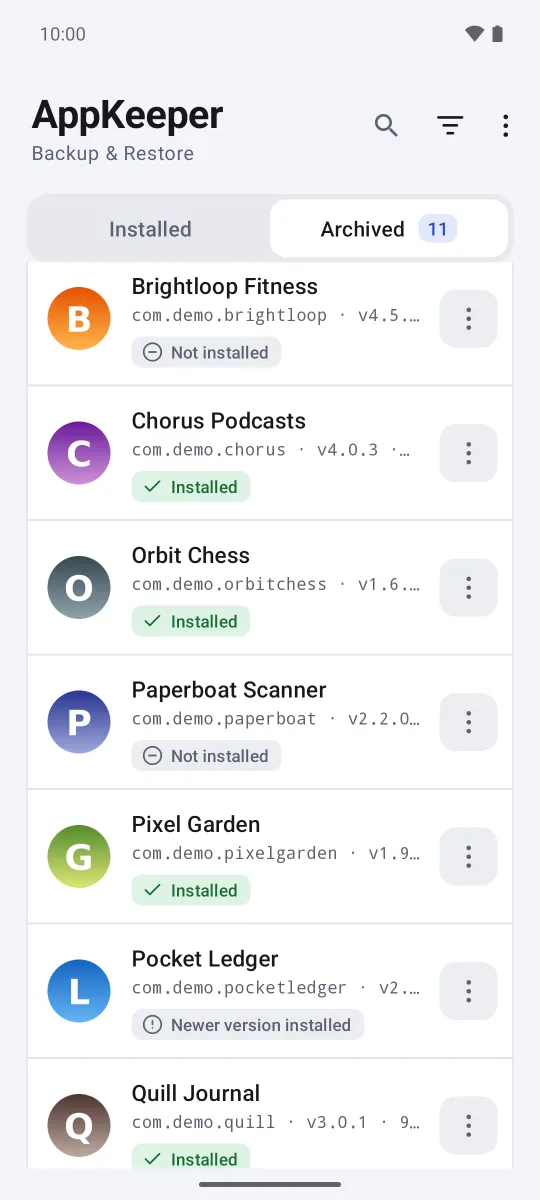
Premium Pin the backup: in the Archived tab, open the backup's menu and tap Pin. Pinned backups are never removed automatically, so cleanup can't take the last copy.
Get warned when an app leaves Premium Coming soon
In the next release, the daily backup check also looks up your apps from Google Play about once a week. When one is gone, AppKeeper pins its newest backup, marks it Not on Google Play and sends you a notification, so the last good copy can't be cleaned up by accident.
Make sure the backup works
A backup you can't restore is no backup. In the Archived tab, tap the button to check all backups: AppKeeper opens every backup and confirms it's complete, so it can be restored. It's free, and worth doing before you delete the app or reset your phone.
Installing it again later
On the same phone or a new one, open the Archived tab and restore the backup. AppKeeper checks the file first and Android asks you to confirm the install.
Limits
Some apps check their Google Play license, or download extra content when they first start. Once they're gone from the store, those checks can fail, and the APK alone may not be enough to run them. Most apps don't do this, but games and paid apps sometimes do. AppKeeper backs up the app itself, not its data, so sign-ins and saved progress depend on the app.