 AppKeeper
Move your apps to a new phone
Google restores most Google Play apps on a new phone by itself. AppKeeper covers the rest: apps that aren't on Google Play any more, apps you got from elsewhere, and exact versions you want to keep.
When you set up a new Android phone with your Google account, it offers to reinstall your apps from Google Play. That works well for apps that are still in the store, but you get today's version, and apps that left the store, or never came from it, are simply skipped. A folder of backups fills those gaps.
On the old phone
- Pick a backup folder you can carry over. An SD card is easiest. Any folder works if you'll copy it to a computer.
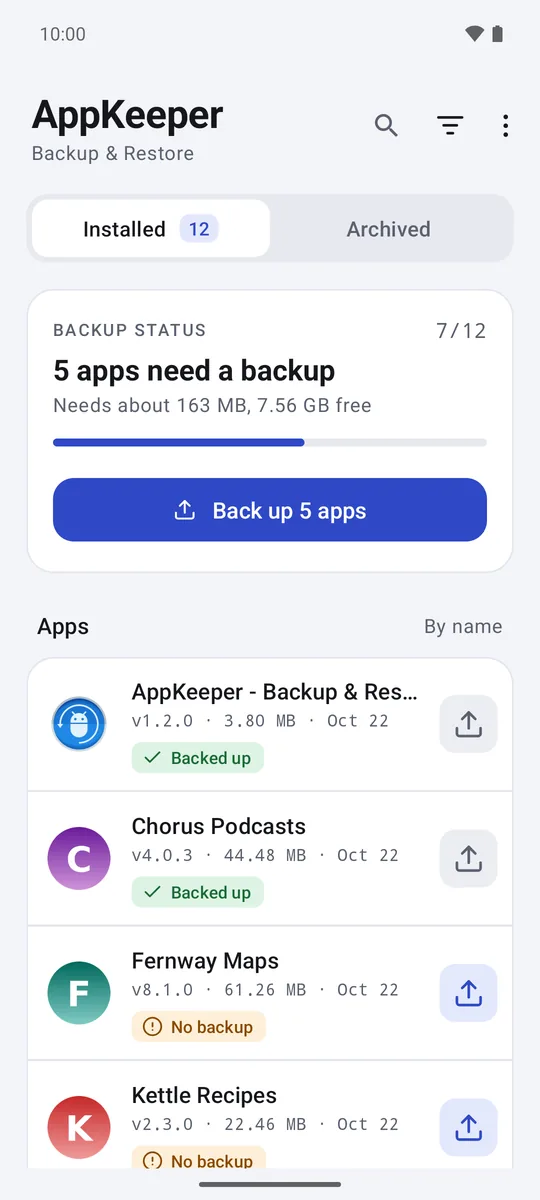
- Back up all apps. In the Installed tab, tap Back up N apps to back up every app that needs it.
- Premium Export your app list: menu, then Export app list. The list remembers every app you had, including the ones you didn't back up.
Carry the backups over
Your backups are ordinary files, so move them any way you like:
- SD card: move the card to the new phone.
- USB cable: copy the backup folder to a computer, then onto the new phone.
- Premium Google Drive copy: if it's on, your backups are already in an "AppKeeper" folder in your own Drive.
On the new phone
- Install AppKeeper from Google Play and choose the folder with your backups.
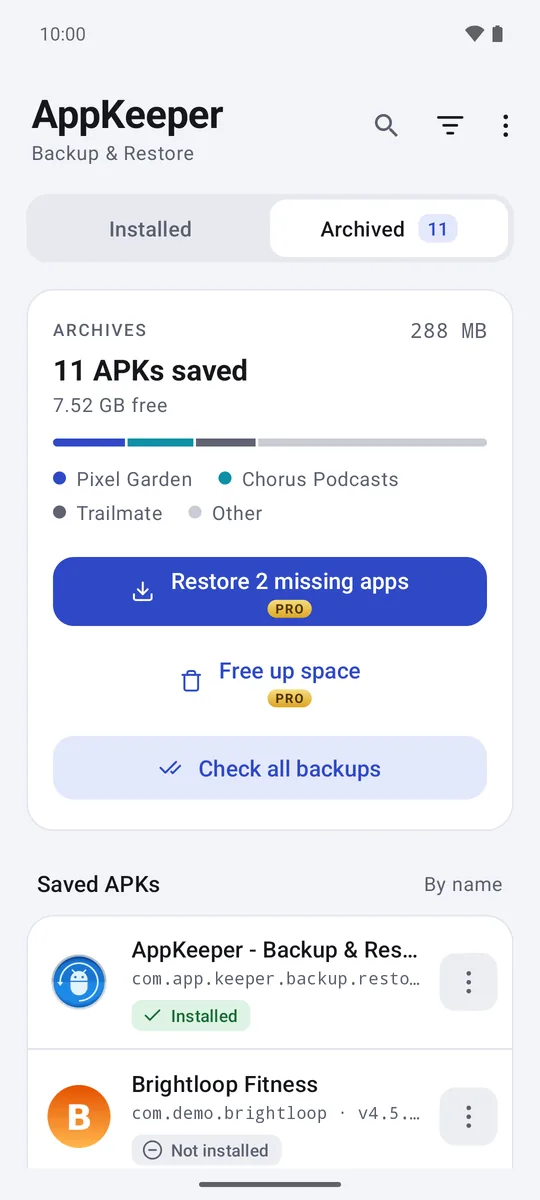
- Premium In the Archived tab, tap Restore N missing apps to reinstall every app that isn't on the phone yet. Without Premium, restore them one at a time; that's free.
- Premium With the app list: menu, then Import app list. Each app shows Restore if you have a backup, or Get to install it from Google Play.
Android asks you to confirm each install. AppKeeper checks every backup before installing it, and explains any problem first.
Watch for backups made for another phone
Apps from Google Play are often split into parts, and Play only sends the parts that fit the phone, such as its screen and processor. A backup holds the parts for the phone it came from. If your new phone is quite different, the backup may not fit. AppKeeper warns you when that's the case; the fix is to install that app from Google Play instead.
What doesn't move
AppKeeper moves the apps, not their data. Sign in again, or use each app's own backup or export for chats, notes and game progress. See what AppKeeper backs up and what it can't.